


Fixed: Google ReCaptcha not working - just spinning
- Published in Joomla Help
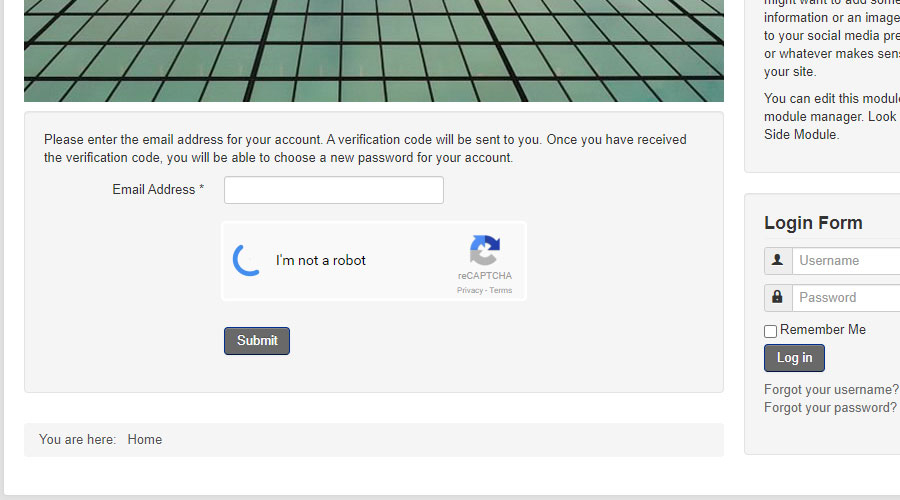
A client has messaged us to tell us their ReCaptcha keeps on loading when a user tries to reset their password, retrieve their lost username or use any form that has ReCaptcha installed. Once the user clicked the "I'm not a robot" it simply loads forever.
The reason this happens is that even on the latest (and final) version of Joomla 3, which is version 3.10.12 the MooTools libraries that are loaded is v1.4.x and this version is no longer supported by Google reCaptcha. Joomla 4 has moved to a jQuery based solution, but how do we solve for Joomla 3 legacy sites that still use Google ReCaptcha?
There are a number of ways to solve this, for example you can stop MooTools from being loaded on your Joomla 3 site if it is no longer needed for anything else. To achieve that you edit your template's index.php.
After the line;
jdoc:include type="head"
Add this code segment:
unset($this->_scripts[$this->baseurl.'/media/system/js/mootools-core.js']);
unset($this->_scripts[$this->baseurl.'/media/system/js/mootools-more.js']);
However if your site still uses MooTools in some areas, that solution will not be sufficient.
Some solutions on the web suggest using a tool that allows you to Enable and Disable MooTools for specific circumstances, but configuring it can be a little hit & miss.
The solution we deployed comes from Neil Robertson's Stack Overflow post which describes how to upgrade MooTools to the version Google ReCaptcha supports.
To implement that solution, navigate to MooTools.net and download the MooTools Core and MooTools More files for version 1.6.0
Download MooTools-Core-1.6.0.js here: https://mootools.net/core
Download MooTools-More-1.6.0.js here: https://mootools.net/more
Next, run a backup of your entire site. It's always a good idea to run and to test a backup of your site before making any major changes.
Then, using your FTP software like FileZilla, navigate into /media/system/js/ and then delete or rename mootools-core.js and mootools-more.js. Next you can upload the two new MooTools files, renaming them to mootools-core.js and mootools-more.js to replace the outdated versions.
With this you have now manually upgraded your MooTools version and it should now work with Google reCaptcha as well as any other areas of your site that use MooTools. Thank you to Neil Robertson for his nifty solution here.
Do you need help with a Joomla issue? Get in touch for specialist help.